Create a shortcut for showing your terminal shortcuts
At some point you might have created so many terminal shortcuts that you keep losing track. You can create a shortcut that will look at your config file and tell you what all your shortcuts are. This command will use grep to look through your .bashrc (or .zshrc) and print it to the screen.
Add the following to your config file (make sure to update the path and to run source on your config file):
alias coms="grep "alias" /Users/user/.zshrc"
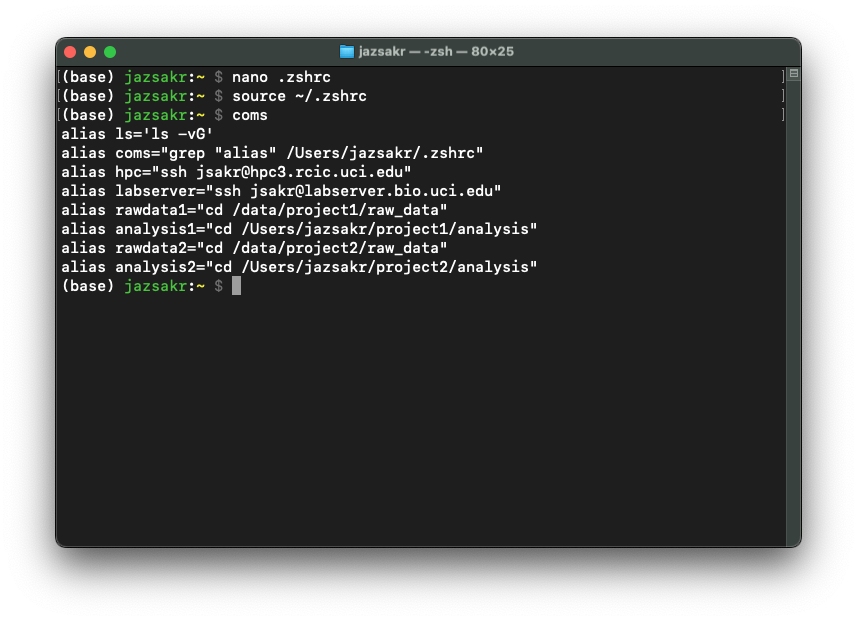
When you use the command by typing coms in the terminal, it will look something like this:
Some notes
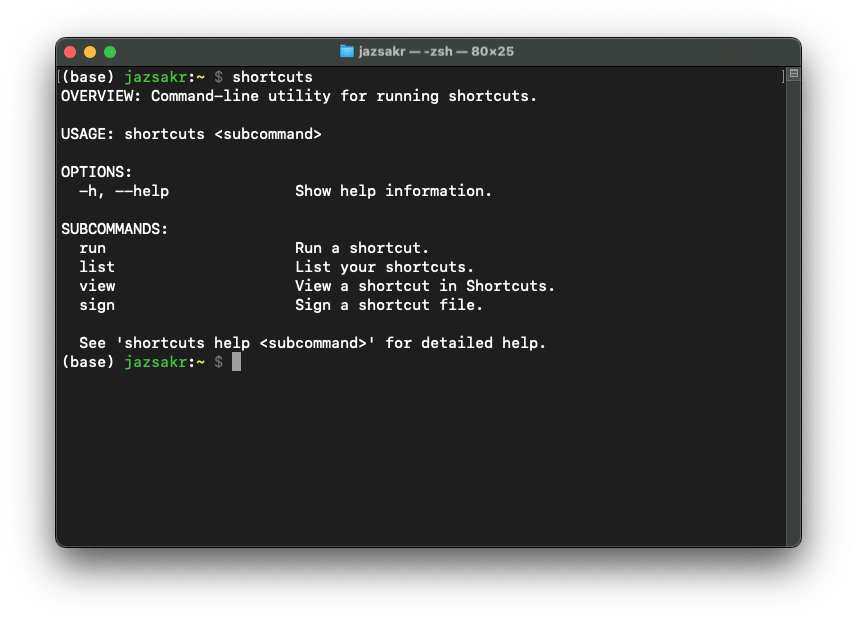
You can use a different shortcut name other than coms, just make sure that it is not an already existing command. You can check by typing the command you want to use into the command line prompt and see what happens. For example, can we use shortcuts? If we try it, we will get the help message for the already existing command shortcuts and so we cannot use it.
Copy and Paste
You can copy and paste the following line and update it with your information!
alias coms="grep "alias" /Users/user/.zshrc"