
Create a shortcut for connecting to your remote server through terminal
If you constantly have to SSH into a remote server (like if you are a researcher connecting to an HPC almost daily if not multiple times a day), it can get really tiring to type out the command each time. So, you can create an alias in your configuration file (usually a .bashrc or .zshrc file).
So instead of typing the full command like this:
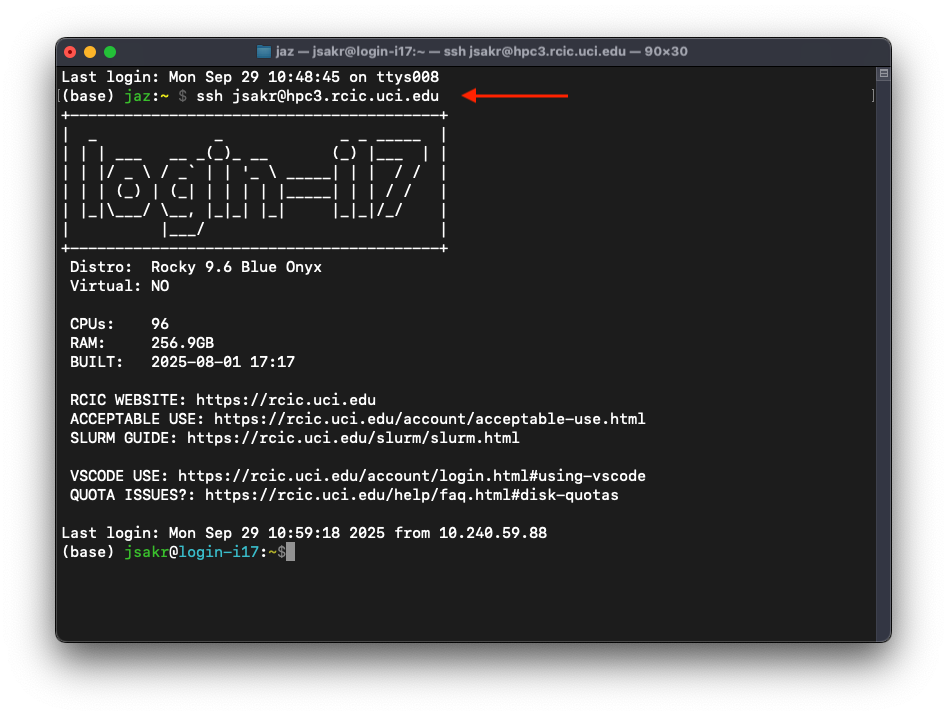
To writing a shortcut like this:

To do this, add the following line to your .bashrc or .zshrc file in your home directory.
alias hpc="ssh user@hpc3.rcic.uci.edu"
Where alias creates the shortcut, hpc is the name of the shortcut and ="ssh user@hpc3.rcic.uci.edu" is the command that will run when calling the shortcut hpc.
For example, I constantly log into the HPC and our local lab server, so I have two lines that look something like this:
alias hpc="ssh jsakr@hpc3.rcic.uci.edu"
alias labserver="ssh jsakr@labserver.uci.edu"
Make sure all the shortcut names are unique!
Copy and Paste
You can copy and paste the following line and update it with your information!
alias hpc="ssh user@hpc3.rcic.uci.edu"